Showing posts with label Announcements. Show all posts

37 Read More/Post Summaries Now Available in Blogger!!
Thursday, September 10, 2009 /


One of Blogger's most requested features has been the ability to summarize our posts on home and non-item pages using some sort of "Read More" function.

I'm thrilled to announce today that the Blogger Team have now enabled this for us to summarize our posts! No more laborious editing of the post HTML or template codes is required to display only summaries on our home pages :)


22 Thank You to my 10,000 RSS Subscribers
Friday, August 21, 2009 /

As I logged into Feedburner today, I realised Blogger Buster has reached an awesome milestone - we now have 10,000 RSS subscribers!


It doesn't seem that long ago when I set my first target of achieving 500 daily readers, when Blogger Buster was in it's infancy. How far this site has come since then!


So today I wanted to extend a great big THANK YOU to everyone who subscribes to this site! I'm awed that 10,000 of you enjoy reading my Blogger posts enough to read my updates in your feed readers and by email subscription. This truly makes my blogging ventures worthwhile :)


For those of you who may read on occasion, who have bookmarked Blogger Buster for future reference or have simply stumbled upon this post, why not join the other 10,000 subscribers and also receive regular updates on the latest Blogger tips, tricks and news? Just click the subscription button below and choose how you would like to subscribe - I promise it will take only a few moments of your time.


Once again, thank you all for subscribing to Blogger Buster, for leaving comments, sending news tips and templates, and for your engagement in improving the Blogger community!

22 Housekeeping - Updates, Issues and Forthcoming Features
Thursday, July 2, 2009 /

I realize my posts have been rather scarce lately, mostly because I've been so busy with work and other commitments which have left me so little time to write posts for this blog.


So let me explain what's happening with Blogger Buster at the moment, along with a few hints about what you can expect in the forthcoming weeks.


Problems with my file hosts

Many of you have reported problems downloading templates and other files which are hosted on http://bloggerbuster.com.


This is because my hosting service has been completely overpowered by the sheer number of requests for files and has been temporarily suspended. I need to transfer all of my files over to a new (enhanced) hosting account which can cope with this level of bandwidth, but I'm afraid it's taking a little longer than expected due to some issues I'm having with FTP.


I may well need to move all these files to a completely different location, and if so, I will of course update with the new URLs you'll need to download these files. My main concern is to find a reliable file host for all our file-hosting needs, and which won't impact too much on the running of this site. Please bear with me while I make new arrangements for these files.


What I'm working on now

There have been several developments for Blogger (and perhaps more planned for coming months), so as you may imagine I've been working on these developments to create useful resources and tutorials for you all.


In particular, I've been learning a lot about the Gadget API for Blogger. This enables us to create interesting, useful and interactive gadgets for Blogger using a system which (I feel) is a great improvement to using widget installers.


I've created a few Gadgets for Blogger now which I'll post about over the coming days (though you may already be able to find some if you search for "Blogger Buster" when adding a gadget to your layout).


Update #1

I've just managed to get a new laptop, and have spent the past few days transferring over my files and settings. Finally, all is fixed so I'll have a new post (or two) up this weekend :)

Blogger is still looking for web designers and artists!

A couple of weeks ago, the Blogger team tweeted a request for web designers and artists who are interested in designing templates for Blogger.com.


If you're a web/blog designer or artist, this is something you may well want to check out. You can find out more and register your interest in participating on this page.


Requests for tutorials and gadgets

If you have any particular requests for tutorials or Blogger gadgets, please let me know about these by leaving your suggestions in the comments.


While I can't promise to fulfil every request, I'll try to do the most popular ones over the coming weeks.


There's so much happening at the moment and many more updates in progress which I really look forward to showing you in the future.


Thank you all for visiting, subscribing and sticking around!

24 Google Blogger for Dummies - Full Review
Thursday, April 30, 2009 /

Some time ago, I was able to preview Susan Gunelius' new book, Google Blogger for Dummies, which is now available to buy from your local bookstore. After receiving my own copy, I've spent the past few weeks reading intently in order to provide you all with my full review of this "Dummies" guide.

Blogger for Dummies?

The "For Dummies" series of reference books published by Wiley are complete guides on a range of subjects which present information in plain English. "Dummies" books are offered as complete guides on the given subject, where the information presented makes the subject easy to understand even for a complete beginner.


In Google Blogger for Dummies, Susan Gunelius offers a simple and comprehensive approach for understanding and making the most of the Google Blogger platform. Chapters range from "Setting up your blog" right through to "Making Money With Blogger" and "Boosting your Search Engine Ranking". This ensures that readers learn far more than how to use Blogger to publish our blogs: we can learn how to use Blogger to create an authoritative, income-generating and professional blog on the niche project of our choice.


What's covered in the book

Google Blogger for Dummies is split into six main parts, with each part containing several chapters which comprehensively detail an aspect of blogging with Blogger. Furthermore, each chapter is segmented further into mini-sections (usually no more than a page long) which offers detail, advice and information on the aspects of blogging you may encounter.


Part I: Introducing Google Blogger

This section offers a complete overview of Blogger and blogging in general, which is especially useful for those who are creating a blog for the first time.


By covering in brief the aspects of using Blogger which are detailed more fully in later chapters, Susan creates an excitement about choosing Blogger and anticipation of Blogger's effectiveness as a powerful blogging tool.


Part II: Using Google Blogger

In this section, we are presented with detailed instructions for creating and maintaining a Blogger blog, including how to initially create a blog; how to manage archives; comments and backlinks; writing blog posts; enhancing the appearance with templates, and using gadgets/widgets in the layout.


Each chapter is enhanced by screen-shots and useful tips to ensure we can easily follow the instructions and advice given. I especially enjoyed reading Susan's advice about choosing which subjects to write about, and issues of copyright/fair usage. Such considerations are often misunderstood (or even overlooked) by those who are new to blogging, and her expert advice shines light on what is otherwise a cloudy issue.


Part III: Making Money with Blogger

As pointed out in Google Blogger for Dummies, many people choose to start a blog in order to earn money from it. By devoting an entire part of this book to the subject of making money, Susan understands the needs of many Blogger users (both newly initiated and seasoned bloggers) and offers information most relevant for those using the Google platform as their publishing tool.


In this part, we can learn about the many different types of advertising we can add to our blogs to generate an income, including text links, paid posts, contextual ads, and of course Google Adsense.


Part IV: Growing your Audience

This section of the book offers practical, useful advice for growing the audience of our Blogger blogs which is presented and explained in a very "down to earth" manner.


Most bloggers are concerned with growing their blog's audience and increasing their authority in search engine rankings. I'm often asked about this aspect of blogging by Blogger Buster readers, but since this is something I've learned through a combination of gradual experience and "trial and error", it is not something I am expressly confident in explaining.


Susan's explanations are very clear and easy to understand. She explains the nature of relationship building for bloggers, how to network with other online writers and particularly how to optimize our blogs for search engine rankings. Advice to help track blog statistics, effective linking and keyword analysis are also included which I feel is a boon to new bloggers who may have little understanding of what these buzzwords mean.


Part V: Extending your Blog

This section offers details for growing and downsizing our blogs. By "growing", Susan refers to adding team members, writing for other's team blogs and creating a new blog linked to our blogger profiles. "Downsizing" refers to the practise of deleting a blog we no longer wish to own.


In this section, we can also find details of blogging with different media (such as email posts, video blogging and posting via a mobile phone). Custom domains and FTP blogging are also discussed for the benefit of those who prefer to associate their blogs with their own domain name.


Part VI: The Part of Tens

In all "Dummies" guides, the "Part of tens" is used at the end of the book to reference key points or resources appropriate for the particular subject of the book.


In Google Blogger for Dummies, the Part of Tens includes:

  • Ten useful social networking and social bookmarking sites

  • Ten common Blogger problems and possible solutuins

  • Ten places to find free Blogger themes and templates

The "Blogger problems" section was the one I found particularly useful as it covers problems which Blogger Buster readers have contacted me about with regularity. These issues are explained in detail, along with problem-solving solutions and ideas for prevention so these issues do not occur again.


Excellent Presentation

One of the reasons I am a fan of Dummies books in general is the overall presentation of these guides which enables readers to locate the information they require with ease and literally "dip in" at any stage to find useful tips or references.


The front cover is bold and unmistakably part of the Dummies series with a bold yellow background. Key points of the book's content are presented on both the front and back covers, along with a brief biography of Susan Gunelius - a professional blogger in her own right with expert status in marketing and branding.


A key aspect of presentation which I find useful in any technical guide is the use of headings and points to break up text, and appropriate hints relevant to the main content at key points. In this respect, Google Blogger for Dummies comes up trumps: the content is very well organised making it easy to follow; icons refer to tips, warnings and technical areas of the content, while highlighted text boxes enhance basic instructional sections with advice based on Susan's professional experience on a given subject.


The contents section actually comes in two segments: the first offers a brief overview of the parts and chapters, while the second is a comprehensive guide to include all major sub-headings (the individual topics) which are covered in the guide.


Near the end of the book is a comprehensive glossary which provides easy referral for key terms associated with both Blogger and blogging in general. Finally, a complete index offers a means of easily locating any terms or subjects with which we need particular guidance.


Unfortunately the screen-shots in Google Blogger for Dummies are in black and white, rather than full colour. Having read other Dummies guides before, I had not expected colour images; however, colour in some sections (such as when discussing templates and layouts) would have been more beneficial for readers of this guide to offer a more complete analysis of the sections being discussed.


So is it a complete guide to Blogger?

Almost, but not quite. The range of subjects discussed is very comprehensive in Google Blogger for Dummies and Susan Gunelius' expertise in blogging offers a highly comprehensive guide for building and maintaining a successful blog. However, there are a few small areas which I feel could be further enhanced, particularly as many readers of this guide will have little or no experience using the Blogger platform.


For example, in Chapter 16 when explaining how to purchase a domain from a third party, more information regarding changing the DNS settings would have been much appreciated. This aspect of using Blogger is often difficult to navigate, and while I understand that the process does differ between domain providers, an overview explaining key terms or a link to Blogger's help pages on this subject would lift the fog and enable new bloggers to manage this important aspect of Blogger much more easily.


I'm also concerned that the subject of editing the Blogger template is virtually skimmed over in this guide. Although the Layout>Edit HTML tab is briefly mentioned as a menu item and is referred to in the process of uploading third party templates, no explanation of how to manually edit the Blogger template is given. This may be a personal opinion, since editing templates is a key aspect of my experience with using Blogger; however, I'm sure that many readers of this book would have appreciated at least some advice, if only an overview of how Blogger template files are coded combined with HTML/CSS resources where more could be gleaned on this complicated subject.


In summary...

After having read most of the books available about the Google Blogger platform, I can honestly attest that Google Blogger for Dummies is the best and most comprehensive guide available. Rather than simply explain how to use Blogger, this book offers a complete guide to building a successful blog with Blogger, an interesting and wholly useful standard which few other books about blogging platforms have adopted.


I do certainly recommend Google Blogger for Dummies, particularly for those who are new to blogging or who have recently decided to use Blogger as their publishing platform. While certain advanced aspects of working with Blogger could be enhanced, the basics are all included, enabling even a complete novice to build, manage and maintain their blog using this easy to follow guide.


Google Blogger for Dummies is currently available from Amazon, Barnes and Noble and other online bookstores for around $16.49.

1 Merry Christmas!
Thursday, December 25, 2008 /

Wishing all Blogger Buster readers a very Merry Christmas!

6 ThemeForest's $25,000 Giveaway - Your chance to get a premium Blogger theme for FREE!
Tuesday, December 9, 2008 /

As many of you will be aware, I also design premium Blogger templates which are sold through ThemeForest.net: a relatively new site which offers premium quality site and CMS templates. To help promote and raise awareness for the site, Envato are offering a $10 credit to the first 2500 commenters - a total of $25,000!


This $10 credit could buy you one of the premium Blogger themes available on the site, or any other of the quality site templates, Photoshop source files or CMS templates available.


To qualify for your free $10 credit, simply visit this post over at PSDTuts (also part of the Envato network) and follow the steps. You will need to be a registered member of ThemeForest to qualify for your credit, though it costs nothing to join (ie: you don't need to credit your account in order to become a member).


If you've been considering trying out a Premium Blogger theme or are just interested in what ThemeForest have to offer, why not spend a few moments to comment and qualify for this great offer? Be quick though: only the first 2500 commenters will receive their credit :)

1 Christmas is coming...
Monday, December 1, 2008 /

... So over the next few weeks I'll be posting some festive Blogger tutorials (and possibly a festive themed template or two!).


In the meantime, why not check out my latest post over at Blogging Tips: The Festive Toolbox, which offers a great range of resources to help you decorate your blog for the holiday season?


If there are any particular festive customizations you would like to learn about, please let me know by leaving your comments below.

3 Introducing "We Love Blogger"!
Tuesday, September 30, 2008 /


As today is my birthday, it seems the most appropriate time to introduce you all to my latest blogging venture.


We Love Blogger is a gallery and news portal for Blogger fanatics! Here you will find great Blogger designs to inspire you; links to the latest Blogger news and useful tutorials to help you build a better blog.


The home page should provide easy access to the areas of most interest, with the gallery on the left, news/tips in the center, and a regular sidebar on the right.


In the header, you will find links to submit a new design or news article for later submission to the site.


We Love Blogger is an idea I have had for some time. As you may have read in my previous showcase articles, I love to be inspired by great designs (especially those which prove the potential of Blogger as a blogging platform).


Learning from the experience of other bloggers is important and highly useful when discovering new and interesting functions for this platform. On Blogger Buster, I think tutorials and lengthy articles have become an expectation. Rather than add many short posts and links on this site, I feel it's more useful for readers (and better coverage for Blogger authors) to feature their articles on a dedicated site.


At present, the design (and some functions) of We Love Blogger is not quite complete. Once I am home from vacation, I'll be sure to enhance the overall look and some usability issues for the site to make it a better place to visit and find articles of interest.


In the meantime, please visit We Love Blogger, let me know what you think and also any suggestions for how the site can be improved. I hope you enjoy We Love Blogger and will find this a useful addition to the Blogger Buster family of sites.

1 Off for a week!
Sunday, September 28, 2008 /

For the next week, I'll be basking in the sun with my family as we're going on a long overdue holiday. This means I'll be unavailable to answer any emails or comments until Monday 6th October, though I have scheduled some posts to be published in my absence ;)


In particular, watch out for an announcement on Tuesday (which incidentally is also my birthday).


See you soon everyone!

3 Site issues and updates
Sunday, September 21, 2008 /

There could be no worse time for things to go wrong than when I am preoccupied with other important projects! Unfortunately, many of you may have experienced some issues using the site this week. So please allow me to explain what's going on, and why I haven't been around as much as I would like.


Issues with the Top Commenters and Popular Posts widgets

The biggest issue so far is that my Top Commenters and Popular Posts widgets have suddenly stopped working.


Both of these widgets are configured using the Yahoo! Pipes service, and due to their popularity and extensive use, the pipes used for these widgets have been putting a strain on the pipes service (causing them to be temporarily disabled).


Unfortunately, this is going to become a regular issue. I don't think it is possible to host pipes on my own servers (to bypass the bandwidth issue) and while these widgets use the same Pipes to output the widget contents to the many bloggers using these widgets, there will continue to be a strain on this service.


The best all-round solution would be for individuals to make a personal copy of the pipe for their own blog and change the pipe URL within the widget to match that of their own Yahoo! pipe. Luckily, I made "back-up" copies of the pipes used for these widgets, so I will get turorials for this method uploaded as soon as possible.


I do sincerely apologize to all affected by this issue! Before I had created these widgets, I had thoroughly checked the documentation for Yahoo! Pipes though was unable to find any information regarding limitations of use or bandwidth. In essence, I had thought it was safe and reliable to use these pipes to deliver content for your widgets. I am glad that the Yahoo! team were able to explain this situation, and hope we can get your widgets working again soon by helping you create pipes specifically for your own Blogger blogs.


Blogumus widget issues

The Blogumus animated tag cloud widget is without a doubt the most popular widget delivered on this site!


For most users, this widget works without a hitch, though some readers reported that the widget is blank and does not display tags at all.


After much trial and error, Roy Tanck helped me create an alternative method of installation for this widget which embeds the widget as a flash object rather than generating it through JavaScript.


This new version works well in most Blogger templates, though unfortunately not for everyone. I really don't understand why this works for some blogs but not for others, and so far have been unable to find a definitive solution to this problem. The only other possible method would be to hand-code the widget for your own blog, which would require you to add each url for your labels individually. However, even this method is not guaranteed to work.


If enough people are interested in this method, I will write up a tutorial to help you install Blogumus by hand-coding each link, so please let me know if you would like to try this by leaving your comments below.


Comment moderation for older posts

For the first time ever, I had to enable comment moderation this week.


Generally I feel confident that Blogger's anti-spam systems will pick up on *most* comment spam before it ever reaches the post. But when spammers disguise their comments, they seem to slip past the radar.


So I have temporarily enabled comment moderation for older posts (as in my experience, recent posts are rarely targeted by spammers). This means that if you leave a comment on an older post, it will be held in moderation until I have had the chance to review it. Of course, when the main spamming culprits have ceased their unwanted comments, I will lift the moderation ban and your comments will appear immedietly after posting.


Why I've not been around much this week

While blogging is my passion, there will often be times when I am unable to be online as much as I'd like. As many of you will already understand, I'm also a full-time mommy so when I take on occasional work, this means I have much less time to spend maintaining Blogger Buster and replying to all my emails.


Now that most of this work is completed, I can concentrate on blogging and also on some other interesting projects which I hope will allow me more financial freedom in the future (in other words, more time to blog!).


I will be offline from 9/28 to 10/5 as we're going to visit family abroad and it's doubtful I'll be able to get online. Thanks to Blogger's scheduled posts feature, I can still provide updates while I'm away :)


Any other issues?

Have you experienced any other problems using Blogger Buster which I may have missed? If so, please let me know about this so I can fix the issue as soon as possible.


I hope you all continue to enjoy reading my posts despite the occasional hiatus! Thank you to all Blogger Buster readers for your support and continued readership!


0 Blogger Tutorials in Progress (What I'm working on now)
Wednesday, August 27, 2008 /

This week, I seem to have had a great spurt of creativity, and now have quite a few new tutorials/templates in progress which I have not yet had time to document!


Those of you who follow my updates on Twitter may already have some ideas of what's in store for Blogger Buster over the next few weeks. In any case, I am so excited about some of these new developments that I feel I ought to write a quick update to offer some insights of what I'm working on, and when these projects may become available as tutorials.


New templates

I have two (possibly three) new templates which are almost ready to be released. These are original, "made for Blogger" designs which I hope to perfect and upload within the next week or two.


I've taken a lot of inspiration from grid based designs for these new templates: the first is a minimalist template (with many options for customization), while the second is much more stylized and color-rich.


As some of you may have noticed, I'm still experiencing problems with my file host, though once I've been able to move everything over to the new server, I'll be able to complete and distribute these themes.


Creating an "Asides/Sideblog" section for Blogger

I've always envied the Wordpress function which allows bloggers to display a "sideblog" in the sidebar (a list of posts separate from the main section which often refer to recommended links or very short updates).


Luckily, I've managed to tweak the Blogger template code to allow certain labels to be filtered from the main display of posts on the homepage. This will enable us to display these particular posts as a "sideblog" in the sidebar without being replicated elsewhere on the page.


This method does have some caveats (and a few minor issues, which I'm working on now), but for anyone interested in developing a sideblog I'm sure this will be a useful addition to the arsenal of Blogger hacks available ;)


A improved method of posting excerpts on the home page

For over a year now, I've been using Ramani's excellent hack to display excerpts of my posts on the homepage of Blogger Buster.


However, I must admit that this has never satisfied my desire to display a true excerpt (based on the number of words/characters) which does not rely on editing the HTML code for each post.


So after MUCH searching, experimentation and tweaking, I think I have found a much more preferable solution which uses JavaScript and minimal editing of the template code.


At present, the JavaScript is quite bloated and the results differ between browsers. But at least it works! Once I am happy with the overall functions, I'll begin to use this function here on Blogger Buster and will of course write up a full tutorial for you to use this in your own Blogger template designs.


Animated tag cloud

This is the function I am most excited about! Thanks to Roberto, I learned about a beautiful animated tag cloud plugin which had been made available for Wordpress users. Needless to say I was fascinated by this, and was able to convert for use in Blogger templates:


This tag cloud operates from the labels assigned to each Blogger post and animates these labels using Flash. If you cannot see this animation, this is likely because you need to install the latest version of Adobe Shockwave, have JavaScript disabled in your browser, or are viewing this post in your feed reader ;)


With permission from Roy Tanck (the original author of this plugin) I hope to write a tutorial about this very soon.


Over to you!

I hope you may find these forthcoming tutorials to be useful for your own blogging needs! Don't forget to subscribe to Blogger Buster to learn when these tutorials become available.


Please do let me know your thoughts on these customizations, or indeed any other experimental features you'd like me to attempt by leaving your comments below.


16 The Blogger Template Book - Free eBook to Download
Friday, August 1, 2008 /

Choosing and using a new template for your Blogger powered blog can be quite a daunting task. What is the best method for installation? How can you choose the design and layout most suitable for your blog?


The Blogger Template Book is a free complete guide to Blogger templates, from choosing the best layout and design to suit your content, to foolproof installation methods and optimization.


In this free eBook you can learn about:


  • Different styles of layout and overall blog design

  • How to install different types of Blogger templates

  • How to maintain widgets when changing templates


  • Where to download the best free templates

  • How to speed up the loading time for your blog

  • How to optimize your blog template to rank higher in search engines

  • Useful resources to help you get the most from your Blogger template


And much more!


Here is a preview of the contents and first chapter of The Blogger Template Book:


You can download this free 114 page eBook simply by subscribing to Blogger Buster in your favorite feed reader or by email. In addition, you will also receive regular tips, tutorials and free Blogger templates to help you build a better blog with Blogger.


Subscribe to Blogger Buster in the feed reader of your choice or sign up for email updates below:


Enter your email address:


Delivered by FeedBurner


When you subscribe to Blogger Buster by email, you will only receive articles when they are posted on the blog and nothing more. I hate spam as much as you do, and will not share your email address with anyone else! You are free to unsubscribe at any time by simply clicking on the link at the bottom of each email digest.


How to download your free eBook

Once you have subscribed to Blogger Buster, look for the download link beneath each post in your feed reader, or at the bottom of each email digest:


Click on the "Download your free copy of The Blogger Template Book" link to access your free eBook.


This file is 5.6mb in size (as this is quite a large eBook) and may take a few minutes to download. Once you have downloaded this file, you can view using Adobe Acrobat Reader (free).


If you have problems downloading your free eBook, send me an email and I'll help you.


Feedback

I hope you enjoy reading and using this eBook! Please let me know what you think by leaving your comments and opinions below.


3 Blogger Buster Forums - Now Online!
Wednesday, July 30, 2008 /


Visit the Blogger Buster forums
I've finally completed the most essential work on the all new Blogger Buster Forums!
I hope this will become a useful addition to Blogger Buster where you can post questions, help others and write about useful Blogger related topics which cannot be easily covered by commenting on blog posts.
These forums are based on BB Press which is a simple yet elegant forum package. I've tried to style the forums close to the style of this blog so it will be easy to navigate between the two using the links in the navigation bar (below the header).
  • Here are some of the features of this forum:

  • Upload images (and other file types) along with your post

  • Gravatars are enabled, so you can use an avatar beside your posts

  • Add tags to your posts to help others find similar content

  • Subscribe to the RSS feeds for the site, individual forums and posts

Anyone can read the forums, but to post or reply you will need to create a free account using a valid email address. Once you have created an account, your password will be delivered by email within a few minutes (you can change this through your Account dashboard once you have successfully logged in) so you can begin posting virtually straight away.
At present, the forum search function is rather limited and can only be accessed from the home page.Once Google begins indexing pages from the forums, I will be able to add a custom search engine to search posts more thoroughly (with more results) and may also integrate this with the blog so you can search both areas of Blogger Buster with only one form.
Further improvements will be added over the coming weeks, so I would be very grateful for any feedback and suggestions you can offer :)
Hope you enjoy the new addition to Blogger Buster! Please let me know what you think by commenting or posting a message in the forums.

0 A New Look for Blogger Buster!
Monday, July 14, 2008 /

Today I've finally finished work on the new design for Blogger Buster! I hope you all like the new, clean look!


My main motivation for redesigning the site was to ensure articles could be easily read, and also to make the site load much faster. So I have stripped lots of unnecessary content from the template, and use far less scripts and images than before.


So far, I'm happy with the overall look of the design, especially now I can see this with my posts and widgets in place. There are still some areas and adjustments I would like to make over the next week or so, though in the meantime, please let me know what you think!


The Header Section


Deciding what to do about the header section was the most challenging part of the design process!


Thank you to everyone who posted a comment on the post I made about this, and also to everyone who contacted me directly. I was thrilled to see how many of you offered your opinions on this. While I had expected one choice to greatly outweigh the other, it seems Blogger Buster readers are divided in opinion!


For the time being I've decided to keep the current logo and the layout of the header. I am rather fond of the vector style logo, and as many of you pointed out in the comments, it does offer a sense of personality to the site.


In the future, I will probably work on a better site logo which uses less colors while representing the personality of the site. Especially now that I've seen this inspiring showcase of logo designs...


There are still some improvements to be made...


While uploading this template, I discovered a few areas of the template which still require further thought. I'm not satisfied with the sidebar and footer section yet, so you'll probably notice a little rearranging (and possibly replacement) of widgets over the next few days.


The forum is almost ready now, which will also have some impact on this new design. Just a few more tweaks are required to ensure the forum design matches that of the blog...


What do you think of the new look?


I hope that most of you will prefer this new design (I certainly do!). Does it load faster, and ensure posts are easier to read?


Please let me know what you think by leaving your comments below :)

0 Uploading the new template today...
/

Today I will be uploading the new template for Blogger Buster!


For the next few hours, you may notice a few strange things happening on the site as the design changes and I make changes to the widgets and content, so please bear with me through this day!


I'm trying to make this as seamless as possible, but if you do notice anything drastically wrong, please let me know!


Admittedly I'm rather nervous about how drastic some of these changes may be, though I sincerely hope you will find the new design much better to use and read than the magazine style template I've used these past few months.


Once all is complete, I'll update with a new post and explanations of these changes. Wish me luck :)

1 Which logo do you prefer?
Saturday, July 12, 2008 /

Although I love the current Blogger Buster design, various factors have convinced me that a redesign is in order.



On Monday, I will unveil a whole new look for Blogger Buster, featuring a clean layout which is easier on the eyes; loads much faster and will help you find articles of interest much more easily!


But I now have a slight dilemma: I don't know which logo I should use! So I'm hoping that you will offer your opinions to help me decide the final appearance of my new blog design.


You'll already be familiar with the current "grunge style" logo which seems to fit so well with the current style:


While I could continue using this logo with the redesigned layout, this does take up a lot of room in the header section.


Instead I wondered if I should revert back to the old logo which takes up much less room:


Which one do you think I should use?


Update: I am awed by the number of responses so far! In fact, this makes it even more difficult for me to choose between the two logos, so last night I did a little experimentation with the two headers to give you a sneak peek of the layout and better idea of the changes this could make to the header section.


If I use the current logo (the grunge style) I will maintain most of the current appearance of the header section:


With the smaller logo, the header would take up much less space, using only the search box from the current design (while the Twitter badge and other elements would move to the sidebar instead):


Admittedly, one of the reasons I was going to reduce the content in the header was because of the Twitter badge. As the code for this was in the header section of my template, whenever Twitter was down, my site refused to load.  Thankfully I've now discovered a solution to prevent this from happening, so I can continue to use Twitter in the header section.


I do agree with you all that the tagline should still remain part of the header! The two examples are still "works in progress" as I will make the final changes to the redesign today.


I'm redesigning Blogger Buster for all of you, so your opinions on this matter to me! Please let me know what you think by leaving your comments below.

0 Blogger: Beyond the Basics (A new book from Packt Publishing)
Thursday, July 10, 2008 /

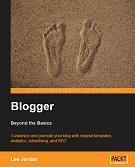
Packt publishing emailed me a few days ago to let me know about their new book: Blogger: Beyond the Basics which is available in both print and PDF formats.


I was really happy to hear about this because (as far as I know!) this will be the first publication to cover use of the new Blogger Layouts system; it covers aspects of template customization, social networking and other advanced features of publishing with Blogger.


Blogger Beyond the Basics was written by Lee Jordan, a new media designer, writer and marketer, who also maintains an accompanying blog to the book.


Here's some more information about the book from the Packt Publishing site:

The book aims to be a "complete" guide to working with Blogger. The focus is on more advanced, professional uses. You will learn everything you need to know to extend your blog and grow beyond the basics of using Blogger. This book will cover the following:


    * Customizing and creating templates to make your blog attractive

    * Adding social bookmarks to your blog to promote your site

    * Joining the blogosphere to drive traffic to your site

    * Customizing your blog by using widgets effectively

    * Customizing your blog's RSS and Atom feed, so that the Blogger feeds are available to the users

    * Managing ads and adding e-commerce features

    * Monitoring viewers and ads using Google Analytics

    * Managing and optimizing your blog for search engines

    * Integrating your website with your blog


The standard cover price of Blogger: Beyond the Basics is £24.99, but you can currently save 10% off this price by purchasing directly through Packt Publishing. There's also free shipping to the US. UK, Europe and selected Asian countries.


The Adobe PDF eBook version is listed at £16.99, though you can save 15% by purchasing directly through Packt Publishing website..


Packt have generously offered me a review copy of Blogger Beyond the Basics so I will be posting my own review in the next couple of weeks.


In the meantime, you may want to take a look at the free sample chapter which covers social bookmarking. It's a PDF download which can be downloaded directly from Packt Publishing.

0 Announcing the winners of the Blogger Wishlist Competition
Sunday, July 6, 2008 /

After verifying all entries to the Blogger Wishlist Competition, I am happy to announce the winners:


The Ultimate Blogging Package: XavMP


Five Runners Up: Bawa, Tony, La Blogueria, Dette and Thomas Williams.


Thank you to everyone who participated in this community project, including those who suggested features without actually entering the competition. I really appreciate the effort everyone has put into raising awareness of the features which would make Blogger much easier and more pleasant for us to use, and will be posting a full write-up of the project in the next couple of days.


In order to be completely transparent about the selection process for the winners, you can view the complete list of verified entrants in this Excel file, and see how I used Research Randomizer to select the overall winner and runners up in the videos below:


I will be contacting the winners shortly to discuss their prizes. And for those of you who weren't winners this time, watch out for a new and exciting competition which I'll unveil in the next week or so...

1 Blogger Wishlist Competition: Only Two Days Left to Enter!
Wednesday, July 2, 2008 /


Since there are only two days left for entries to the Blogger Wishlist Competition, I thought I should post a quick reminder for those who haven't already posted their entries.


This competition is part of a community project to raise awareness of the features we would most like to use in Blogger. As many of you will already know, Blogger surprised us all last week with some very useful improvements to the system, many of which had been popular suggestions posted by the Blogger community.


Let's work together and let the Blogger team know of other improvements we would like to see added in the future! Post summaries, a simple template editor and static pages are just some of the suggestions put forward by Blogger Buster readers.


So why not post your own suggestion? Aside from the benefit of raising awareness, your post will also count as your entry to the Blogger Wishlist competition and you'll be in with the chance of winning the ultimate blogging package!


The competition closes this Friday, the 4th of July at 10pm GMT. There's still plenty of time to post your own entry! Just be sure to follow the guidelines and make your entry official by commenting on the competition post with a link to your official entry article.


Wishing you all the best of luck :)

1 Inline comments are available for Blogger blogs!


I'm thrilled to tell you that the Blogger team have enabled a comment form below the post - Wordpress style! This is probably the feature we ALL wanted added to the Blogger service, so many thanks go out to the Blogger team for enabling this service for us.


The inline comment form is currently available through Blogger in Draft. To activate this, go to Settings>Comments in your Blogger dashboard and scroll down to "Comment form placement" where you can check the radio setting for "Embedded below post".


There is only one problem with this at the moment: those of us who have customized our templates cannot currently use this feature. This is because our templates do not contain the code required to display the comment form. If you use a default template, your comment form should automatically appear below your post once you have changed the comment settings in your blog.


I will post about this in full detail in the next couple of hours with instructions for those who have modified their templates. Update: I have now posted full details for adding comment form functionality to your customized Blogger template, and you can also see this in action beneath this (and every) post on Blogger Buster.